Tired of Copy-Paste into Salesforce?
NISAPI automates data entry into Salesforce from any app or website - no APIs, no integrations, just AI-powered clicks.


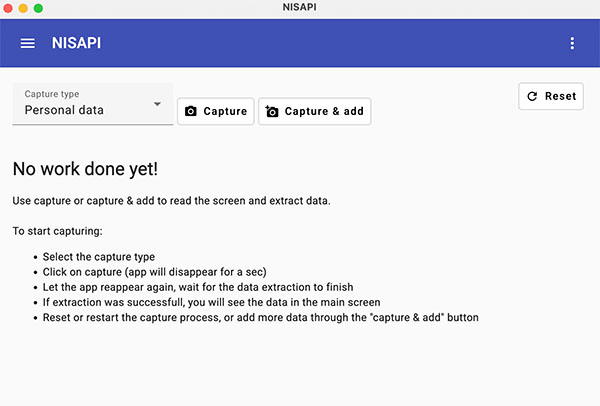
Meet NISAPI - The Non-Invasive Screen API
Let AI do the work: Capture data from any screen, validate, and push it directly into Salesforce with a single click. No manual copy & paste or developer needed.



How it works
NISAPI runs natively on your desktop — whether you're on Windows or macOS. With just one click, our AI captures data directly from your screen and prepares it to be sent into the matching Salesforce object, fully structured and ready to go.
Define your data categories, configure field mappings, and tailor it to your exact use case — no coding required. Need to keep everything in-house? We support local LLMs, so your data xnever leaves your infrastructure.

Smart Data Capture
Automatically detects and extracts lead, contact, or case data with one click from your screen.

One-Click Salesforce Entry
Push structured data into Salesforce objects instantly - no copy-paste or manual input required.

Fully AI-Powered
Uses AI and LLMs to understand context, fix errors, and ensure Salesforce field mapping is perfect.
Privacy-First: Works Locally
NISAPI runs on your desktop (Mac/Win) - local LLMs available if data can't leave your infrastructure.
Join Salesforce clients who've automated away hours of manual work with our no-code AI. It's fast, secure, and ready to use.